



I’m on vacation, so today I will keep it short.
Since February 2026, when I got my $200 Anthropic subscription, I maxed it out only once. It happened when Fable was released, and I started using it the way I used previous models such as Opus. After 4-5 queries through my content and software factories, I was running out of tokens.
Since then, I still use Fable, but only where it’s worth it. Never hitting my weekly token limit. At least not by surprise. I still have those moments where I am aware that if I press Enter, it will cost me tokens. But sometimes it’s worth it.
Anyway, I wanted to share with you 11 context/harness engineering tips that I use in my daily workflows and that work like a charm for me.
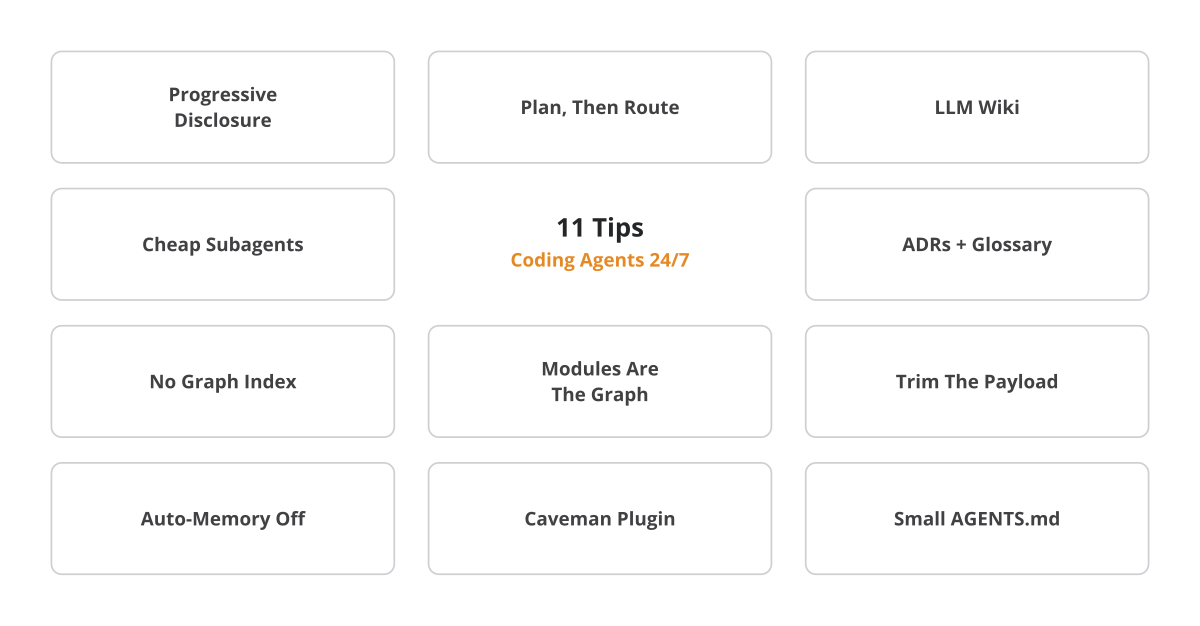
1. Progressive disclosure is the foundation everything else sits on
I use references in my AGENTS.md files, LLM wikis, and Obsidian to build hierarchies, so the model walks a table of contents and pulls a file only when something resolves to it. Anthropic frames it as a finite attention budget: every token you add competes with every other one.
OpenAI rebuilt its AGENTS.md into a roughly 100-line table of contents pointing into a linted docs tree, and shipped about a million lines of Codex-written code that way. Quote: “give Codex a map, not a 1,000-page instruction manual”.
2. Plan like crazy, then let a cheaper model execute
Token-wise, planning is cheaper than executing. I use the most powerful model available (currently Fable) to produce a plan, then hand it to a cheaper one. I never say “implement X”. Instead, I build an extremely detailed plan going through the system design, architecture, components, interfaces and data flow. When a smaller model executes that, it’s hard to make a mistake.
I work the plan through 4 dimensions (known knowns, known unknowns, unknown knowns, unknown unknowns) and let the model grill me with questions to surface blind spots.
3. For greenfield work, an LLM wiki is the context you point at
A wiki lets a plan reference 30 documents without loading 30 documents. When I start working on a new project, I always build one first: a light context layer built via files instead of a database. The plan cites the index that describes the documents, not the corpus, so it stays grounded at near-zero cost. I wrote a full piece on this.
4. Send a cheap subagent to read the whole thing
The subagent pays the reading cost. You only receive the summary. When I’m parsing data, I spin up Haiku or Sonnet subagents that hand back only an executive summary to Opus or Fable. A subagent can burn tens of thousands of tokens and return a distilled 1,000-2,000. I clustered my entire Decoding AI archive this way and my main agent’s context barely grew.
5. An ADR and a glossary per feature
For every new feature my planning step outputs a task list, an architecture decision record (ADR), and a glossary update. The ADR caches the why behind each decision; the glossary pins down what each term means. Both act as context for later features. OpenAI recommends the same artifact — “exec-plans checked into the repo” with progress and decision logs.
6. I don’t graph-index my codebase
I don’t build graphs to index my codebase. The code and the docs drift apart almost immediately, and then you burn tokens keeping an artifact in sync with the thing it describes. That violates clean code principles before it’s a token problem.
Note that keeping a glossary and a log of ADRs is different from building a graph out of your code. The glossary and ADRs are orthogonal to the codebase, tracking your domain conventions and design decisions over time. If you change the code, the ADR log doesn’t need to be changed. It just gets a new entry.
Worth being precise, because Cursor is a live counterexample: it diffs its embedding index against file hashes every few minutes and re-uploads only what changed. A strategy that adds a lot of complexity. Meanwhile, Claude Code and Codex just parse the codebase at runtime via glob and grep.
7. Your modules are already the graph
Instead of indexing, I think hard about how to modularize my code, how to shape the interfaces, and how data moves between components. That is your graph, and progressive disclosure parses it really well.
My sanity check: can I paste this module into another project and have it work?
8. Trim the payload you never see
Tools like Claude Code become a Swiss army knife that puts a ton of stuff into the system prompt that you never use. They fill it with references to all their features, such as push notifications, remote triggers, scheduling, etc. The logic is simple: for the harness to work with all those features, they need to be mentioned in the system prompt.
The solution is either to go with a minimalistic approach such as Pi, which ships a bare-bones coding agent you can extend via plugins, or to trim down your Claude Code/Codex harness via a settings.json like this:
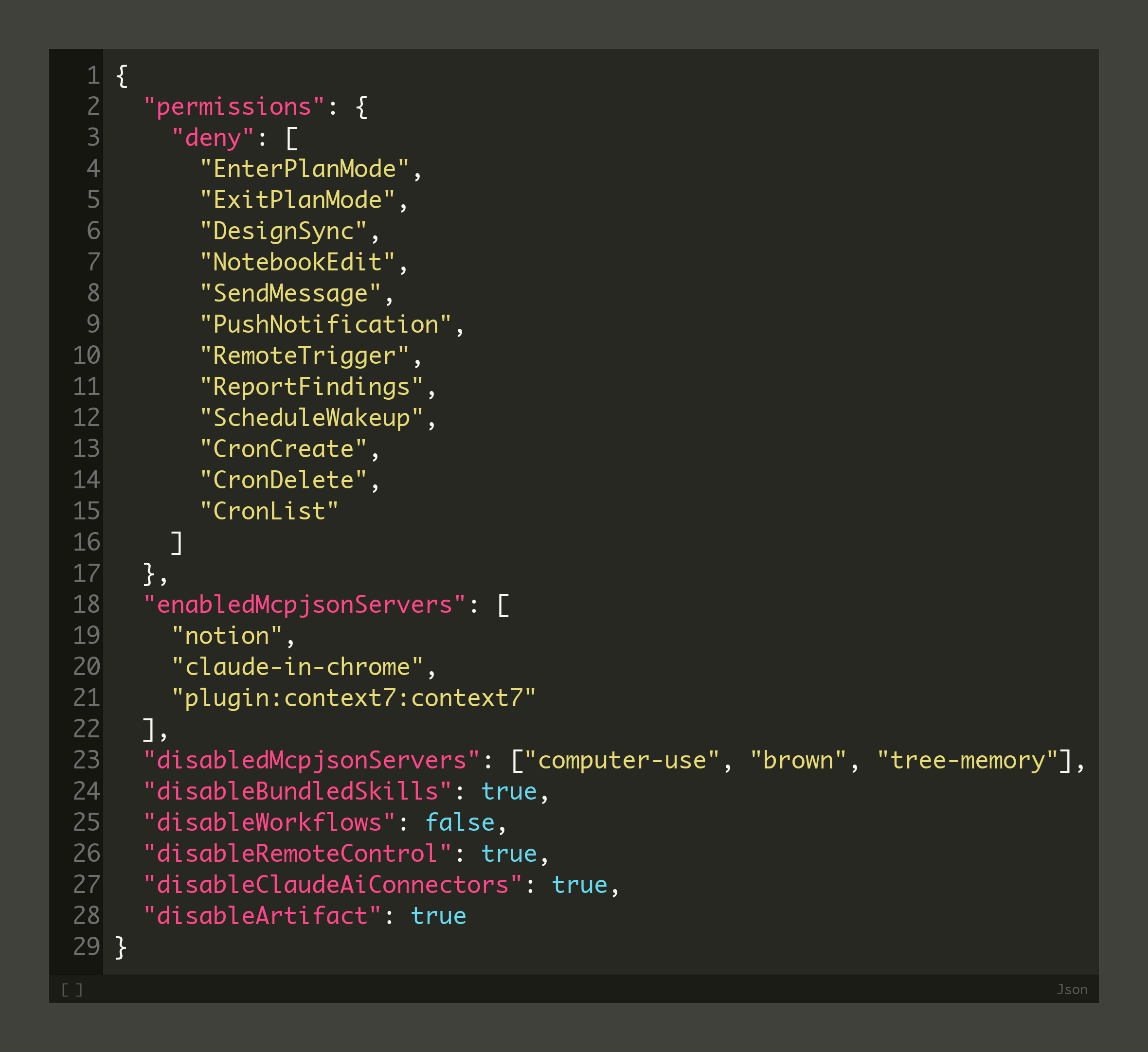
Here is how my context window looks now. Hooked into my content & software factory on a 1M-token window, my payload is 21.4k tokens: 4.3k system prompt, 11.6k system tools, 2.7k across 17 skills, and 46 MCP tools costing literally zero because they load on demand.
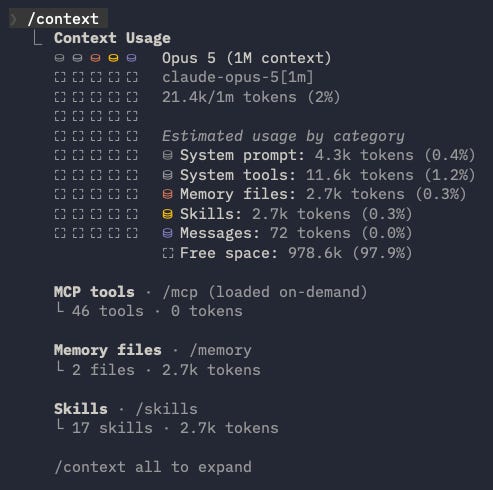
9. Turn auto-memory off — under one condition
Auto-memory files, like MEMORY.md, reload into the system prompt every session.
I set Claude Code’s auto-memory to false.
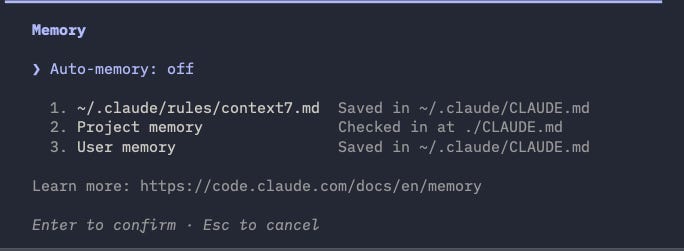
Turning memory off is correct when your continuity already comes from committed artifacts you control (AGENTS.md, ADRs, glossaries, LLM wikis).
10. The Caveman plugin
I also use the Caveman plugin to cut token usage. LLMs tend to be overly verbose. This plugin transforms the messages from full sentences into “caveman talk.”
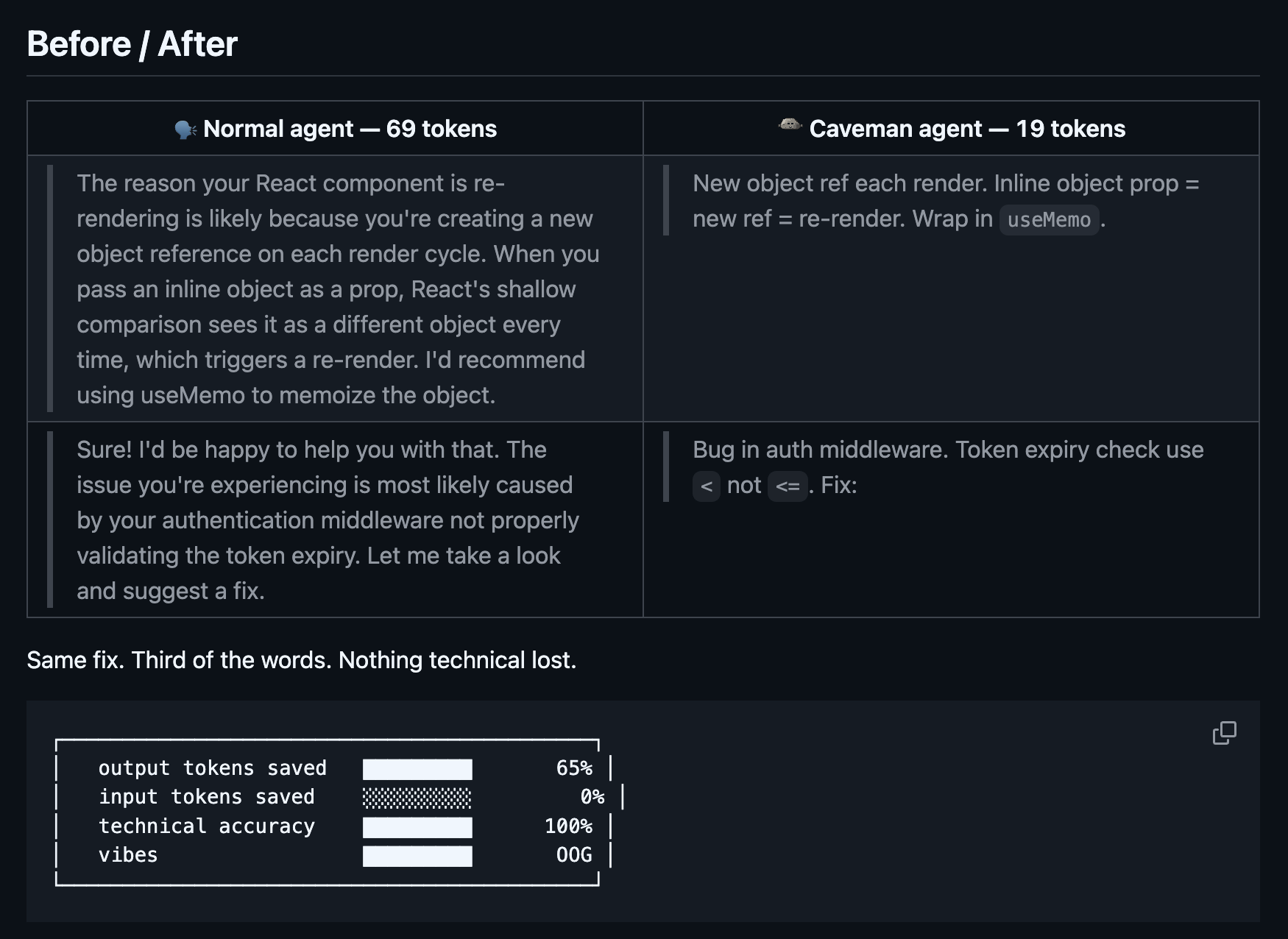
11. The principles that keep every AGENTS.md small
Again, to keep the LLM from being overly verbose and to make it support each instruction with examples, I keep these 3 rules in every AGENTS.md file:
Always prefer removing instructions over adding more.
Always use minimum words that still achieve goal — explanations, docs, code.
New rule in memory (such as AGENTS.md), resources, skills or other files → always support with clear, concise explanation + good and bad examples. Good examples: “a 200-token chunk size”, “sub-100ms latency”. Bad examples: “a powerful architecture”, “a robust pipeline”.
But here is what I’m wondering:
What technique are you using that is not on this list?
Click the button below and tell me. I read every response.
Enjoyed the article? The most sincere compliment is to restack this for your readers.
Whenever you’re ready, here is how I can help you
Go from agent user to agent builder. Master the foundations of AI agents and turn fragile demo code into reliable, production-ready systems with my course, Agent Engineering: Building Multi-Agent Systems (made with Towards AI).
35 lessons. Pure foundations from scratch. 4 mini-projects. 2 production systems. A certificate and direct access to me & industry experts in our Discord.
Built for software and data professionals transitioning into AI engineering. Rated 5/5 with 300+ students. The first 7 lessons are free:
Not ready to commit? Start with our free Agent AI Engineering Guide, a 6-day email course on the mistakes that silently break AI agents in production.
Images
If not otherwise stated, all images are created by the author.
Great tips Paul, thanks for sharing :-)
Bom dia, Paul! Sou advogado no Brasil e estou aprendendo muito com seus textos. Infelizmente a diferença de moeda é muito grande, mas futuramente posso virar um assinante ativo para aprender com mais profundidade! Sucesso! @ramizlazarine