



I spent 18 months turning my second brain into my living research memory. My digital life contains 10,994 notes: over 5,000 in Obsidian, another 5,000 in Readwise, plus more in Notion and Google Drive, growing by roughly 250 a month.
The reality is that most of my notes and bookmarks transformed into a graveyard. When I start a new article or open a codebase, I can’t recall the high-signal notes I already have, so I work without them or burn an hour digging.
The reflex is to reach for Codex or NotebookLM. But those are harnesses: they sit on top of your work, and the moment the chat ends, the context window loses all of it.
More context isn’t the fix. You re-paste the same links and re-explain the same project every session, while past research sits inert in a vault your agents can’t reach.
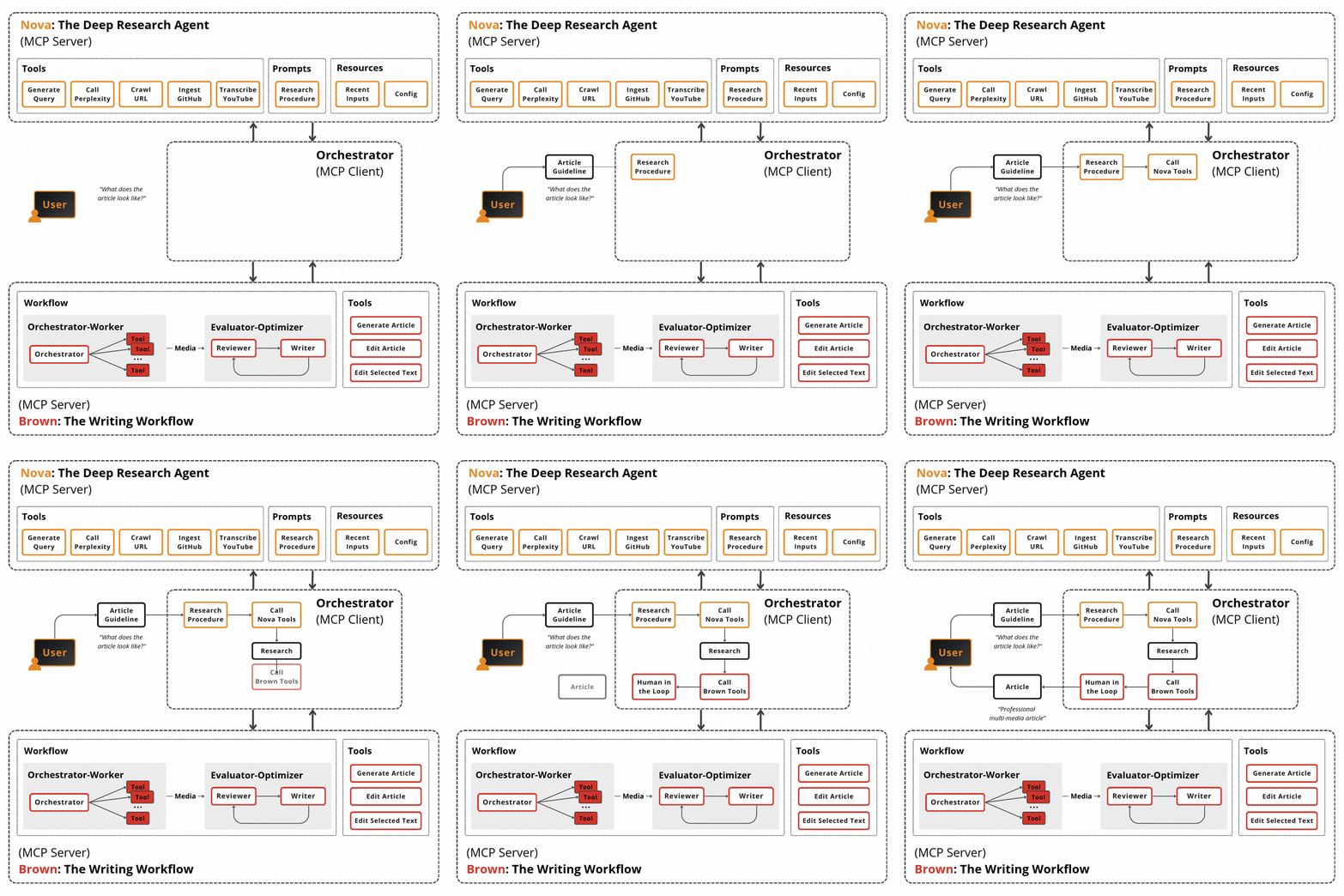
So Louis-François Bouchard, CTO of Towards AI, and I built the alternative, and we’ll show you how: your own AI Research OS. It’s a memory layer that sits between your second brain and any harness (Codex, Claude Code, or your own). It runs deep research across your notes and the open web, and stores what it finds as an LLM wiki you can query, maintain, and grow.
We first touched on this subject in a talk at the AI Engineer World’s Fair. After we saw that people loved it (it was published as a keynote in the online tracks - out of 82 videos - and is the 2nd most popular one), I decided to write an article about it as well.
By the end you’ll learn how to turn your 10,994 notes into a queryable LLM wiki that your AI agents can use as their agent memory, useful for research, coding and content creation.
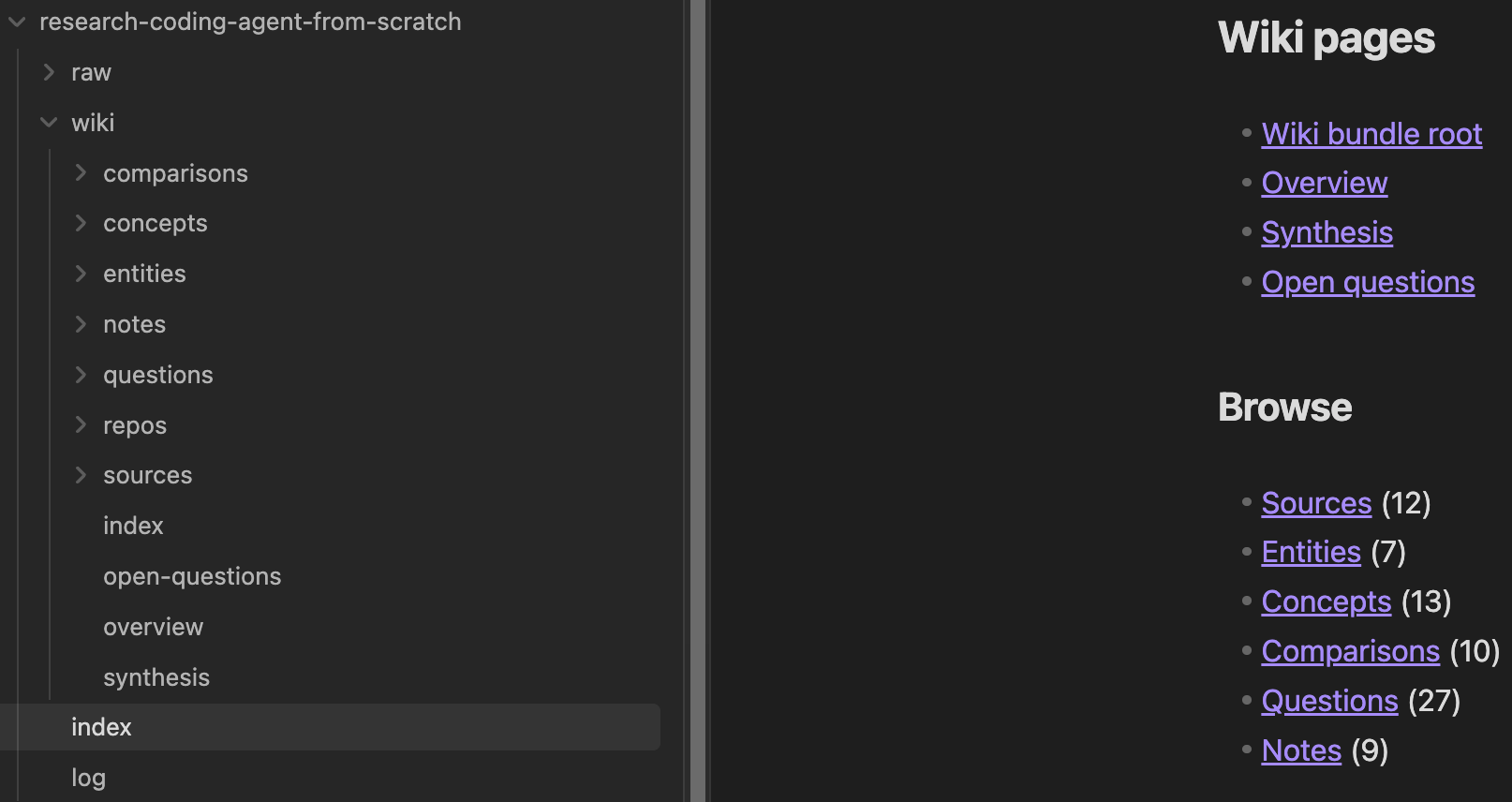
You will build an LLM wiki as in the image below, where the payoff already compounds with just 12 sources:
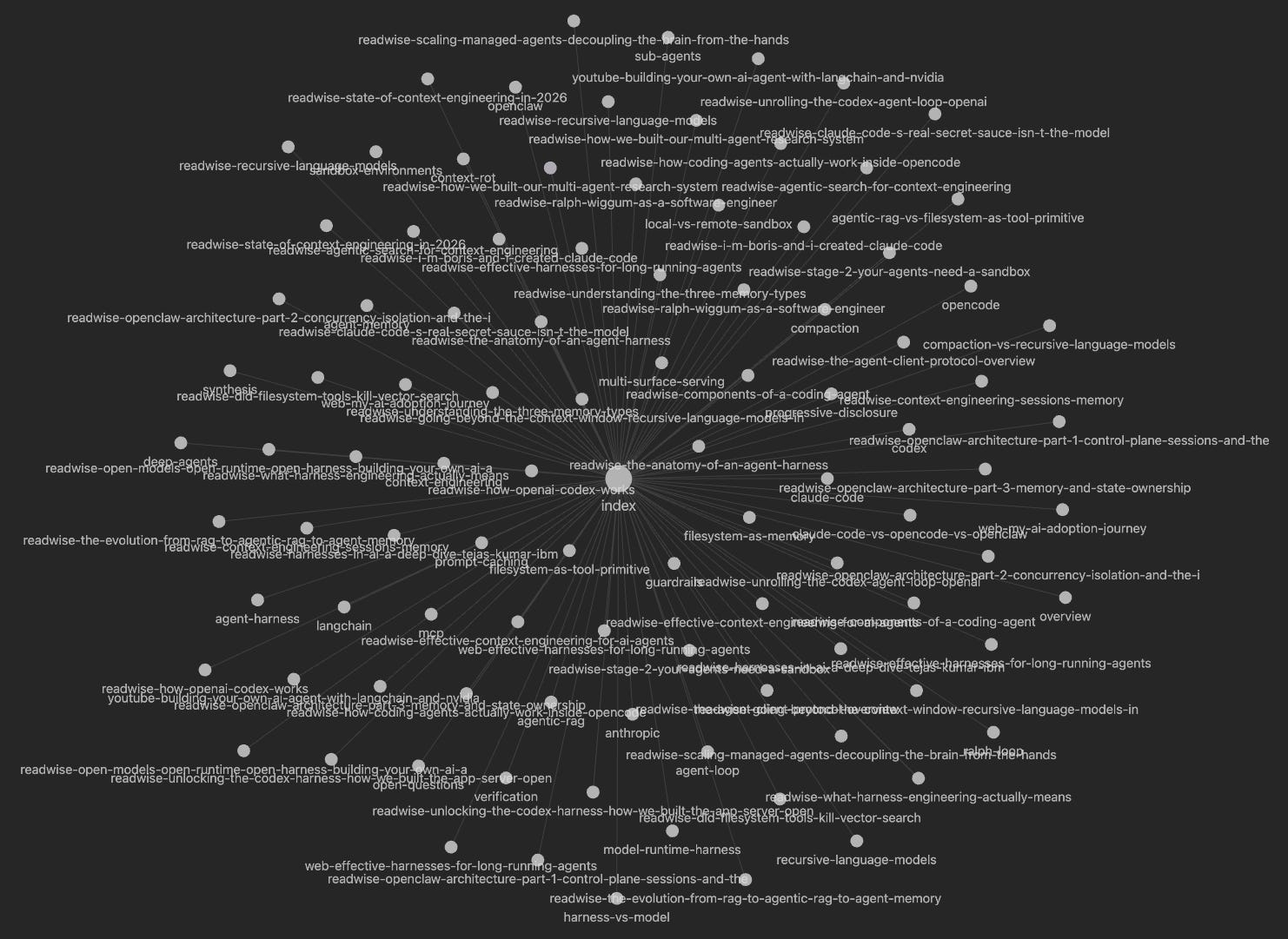
Or go crazier with a larger wiki:
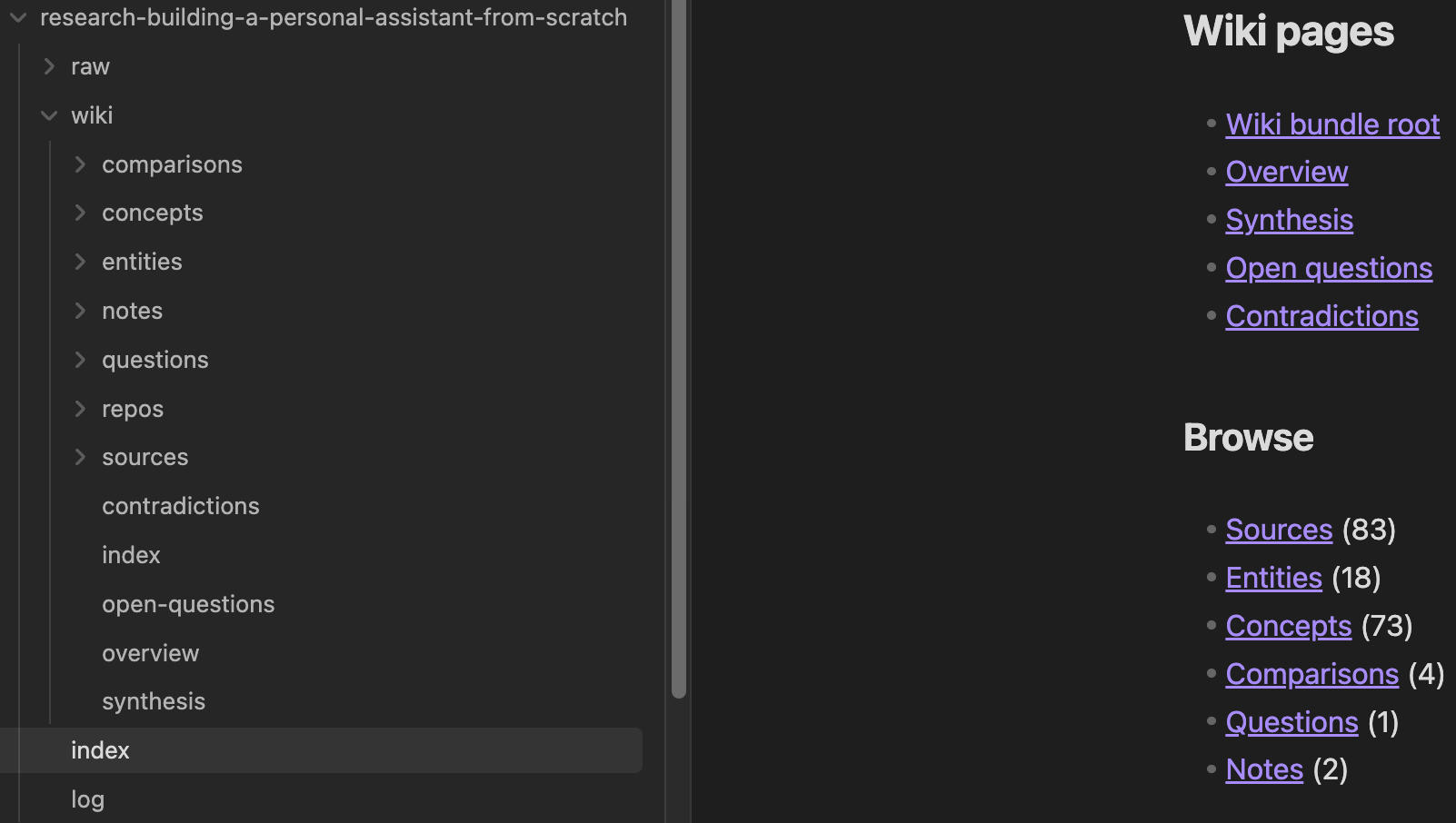
By the end, you will also see why the wikis don’t contain all my 10,994 notes to keep ingestion costs low. Let’s go.
Want your AI work featured across three platforms?
I'm looking for one builder to co-create a customer story on how you used Opik to solve a real-world problem in your AI product.
Here's what you get: from a 1-hour interview where you show off what you built, I'll produce a co-authored article, a YouTube video, and a run of social posts, all spotlighting your work. Distributed across both Decoding AI and Opik (by Comet) channels to 200,000+ AI engineers and decision-makers.
Here are the last two:
If you want to collaborate, email me at pauliusztin@decodingai.com
Fine print: your product or project must use Opik. This is a collaboration between Decoding AI and Opik (by Comet).
Why a Bigger Context Window Won’t Save You
Most research doesn’t need this system. If you want a quick answer or a one-off, Google it, or reach for Codex and Claude Code. You need this only when the research has to stick and an agent has to reuse those sources later.
You don’t need a giant vault either. This is about topic density, not size. It already pays off on a topic-sized cluster: around 20 notes on one subject, or 2 or 3 repos, like coding agents such as Pi, OpenCode, and Aider. Louis-François runs it on a few hundred notes, not my 10,000+, and it still earns its keep.
Why not NotebookLM? It’s great at digesting sources, but you don’t own it, you can’t personalize it deeply, it isn’t agent-native, and it’s weak for coding since it’s browser-bound.
Why not a vector-database RAG pipeline? That’s the right call at production scale, but it’s infrastructure. It’s hard to inspect or edit by hand, and overkill for a personal tool you open every day.
So you build it yourself: a personalized research assistant that uses an LLM wiki knowledge base that’s light and human-friendly as its agent memory. The perfect context engineering technique as an interface between the human and the AI agent.
Now, I want to go over, step by step, how we reached our final deep research + LLM wiki design, with the “why” and “how” in mind.
The Deep-Research Loop, Version 1: Mining the Public Web
A year ago, building the Agent Engineering course, we scoped the loop tightly: give it a topic plus a few hand-picked golden links, and get back a single static research.md.
The deep research algorithm first scrapes the golden links for seed context. Knowing them up front lets the agent frame better questions. Then it runs query rounds: one orchestrator generates the questions, and a sub-agent per question searches (Gemini grounded in Google) and returns links plus a summary, which the orchestrator aggregates so the context never explodes.
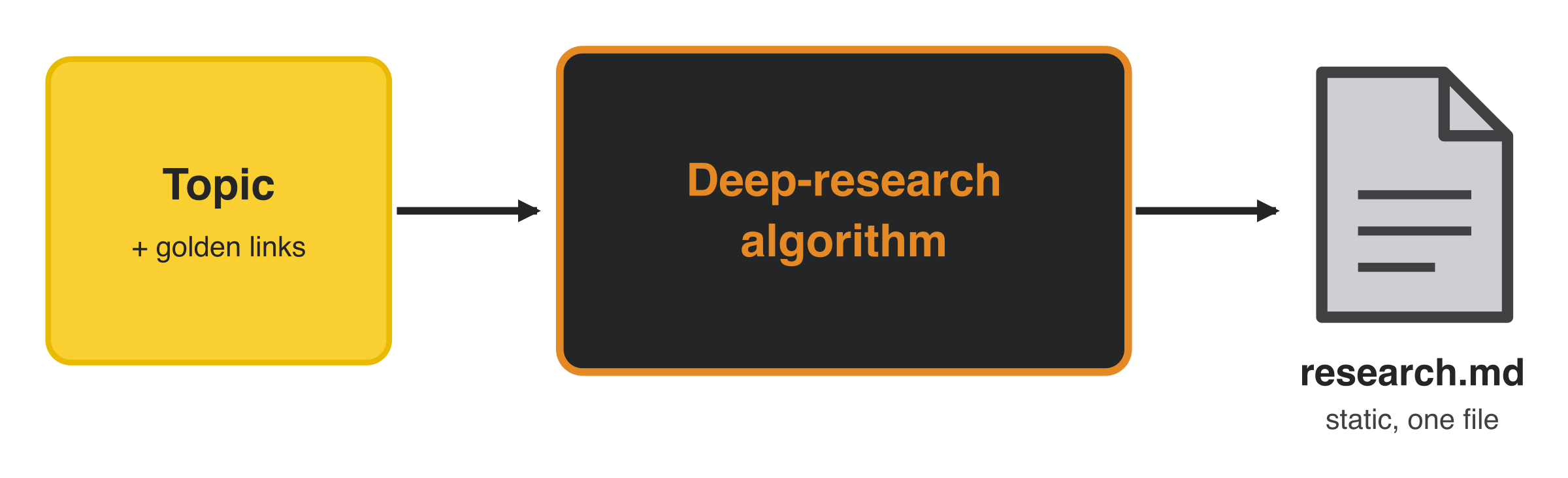
Three rounds of 6 queries surface 40–50 links, which is too noisy to keep whole. A ranking step scores each source against the topic. Only the top-K get fully scraped, the rest are kept as summaries, and everything is compiled into one flat research.md. That version generated 35 course lessons fast.
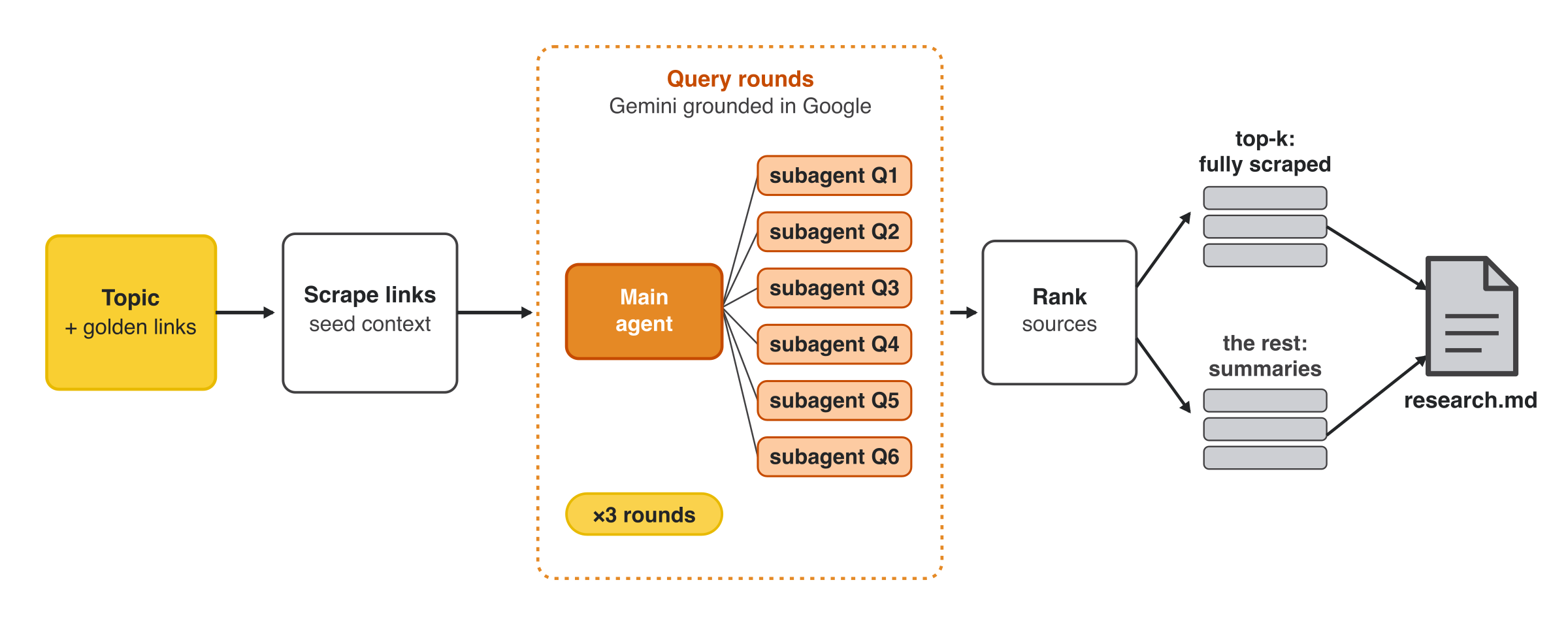
It worked for the course, but it was aimed at the generic public web, with every golden link hand-picked from our own second brain.
Version 2: Point the Loop at Your Second Brain
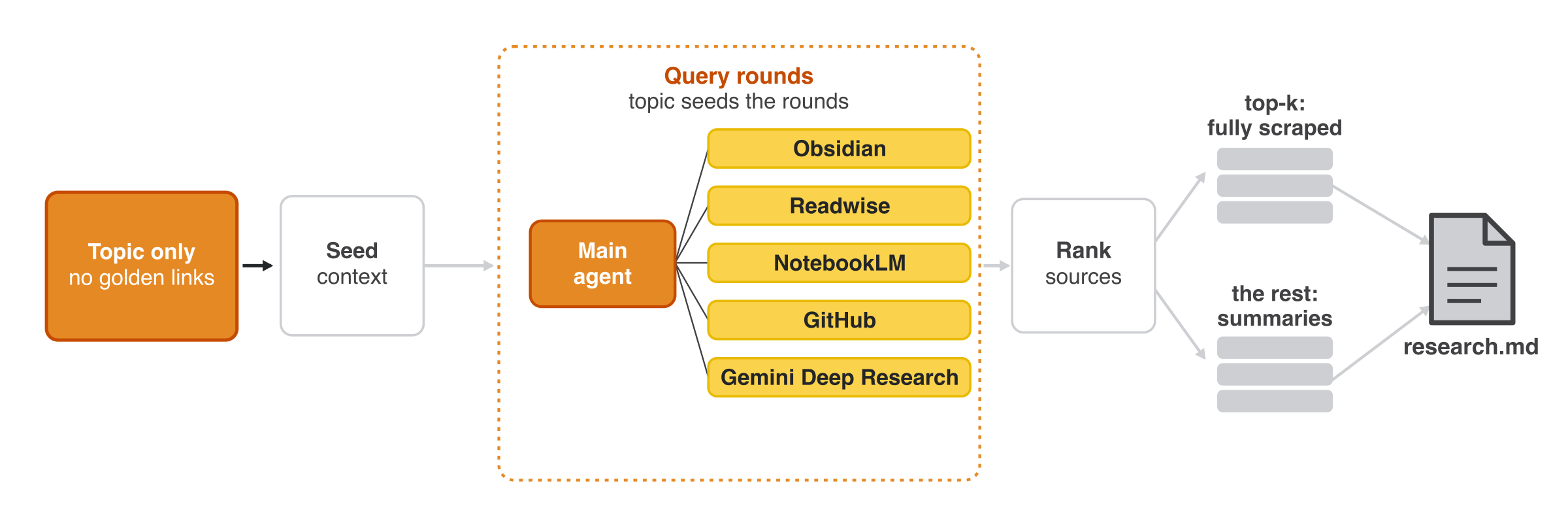
Same loop, new target: aim it at your own sources instead of the public web, where you’ve already filtered what matters. Your second brain is a curated set of golden links, so the input shrinks to just a topic and the loop finds the rest.
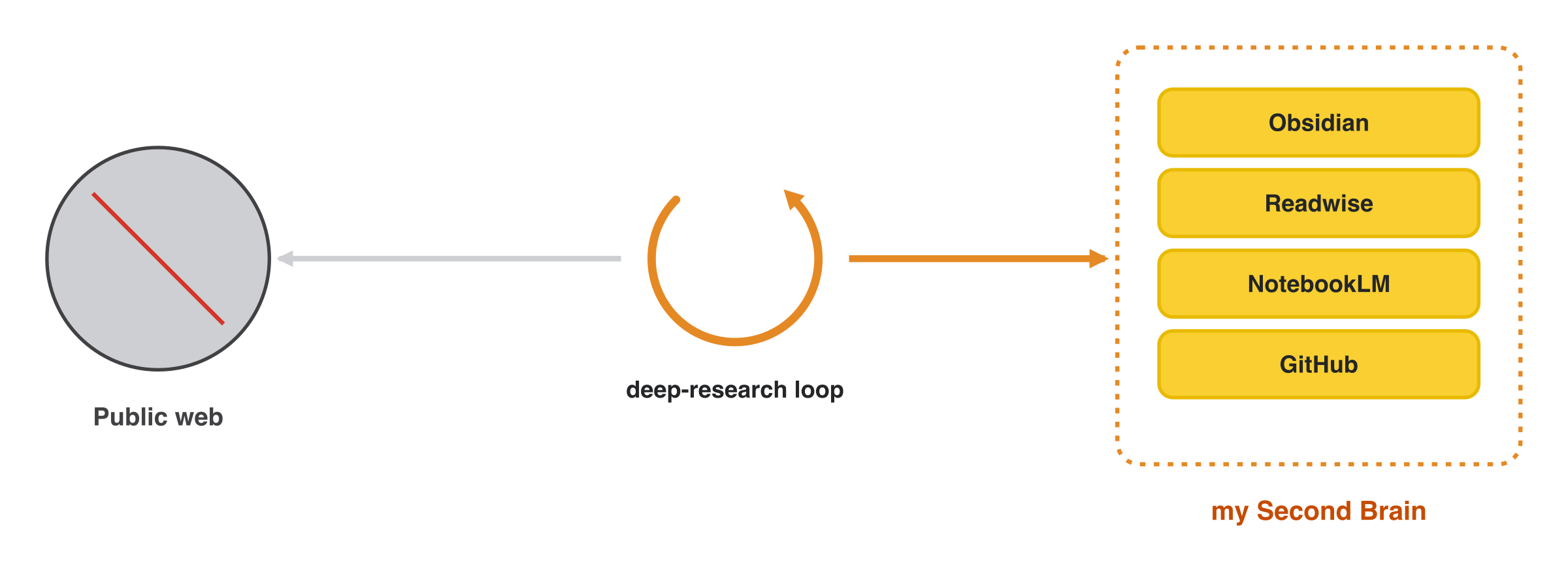
You plug in Obsidian, Readwise, NotebookLM, and GitHub Stars, then extend with Gemini Deep Research, YouTube, Google Drive, or Notion. Code is a special case: a GitHub sub-agent clones a repo and builds a high-level architecture note.
The token-efficiency trick lives in the reranker. It scores each candidate from 0 to 1 against your question using only its metadata and summary, never the full text, then passes only the top-K to the model.
The new problem is that the output is frozen. You still end up with a static research.md, and real research isn’t static. You want another question answered, or part of it goes stale, and re-running the loop from scratch is expensive in tokens and time. The fix is a new layer that sits on top of the raw data: the LLM wiki.
Version 3: From a Static Pile to a Living Wiki
The pivot came from Andrej Karpathy’s idea of LLM-maintained knowledge-base wikis [1]. Instead of re-deriving knowledge from raw documents on every query, which is the RAG pattern, the LLM incrementally builds and maintains a persistent, interlinked wiki between you and your sources.
Since I realized the power of LLM wikis, I started to use them for all my personal setups as my agent memory. It’s simple, powerful and beautiful.
Since giving this talk, we found that Google had published its Open Knowledge Format (OKF), an open spec that “formalizes the LLM-wiki pattern into a portable, interoperable format” [2]. It’s built on the very blocks you’ll see below: plain markdown with YAML frontmatter, an index, a log, and links that form a graph. When Google independently ships the same architecture as a standard, you know the direction is right.
During ingestion it generates, as a byproduct, derivatives over your raw sources: entities and concepts, comparisons between them, notes tied to your questions, open questions, and a synthesis:
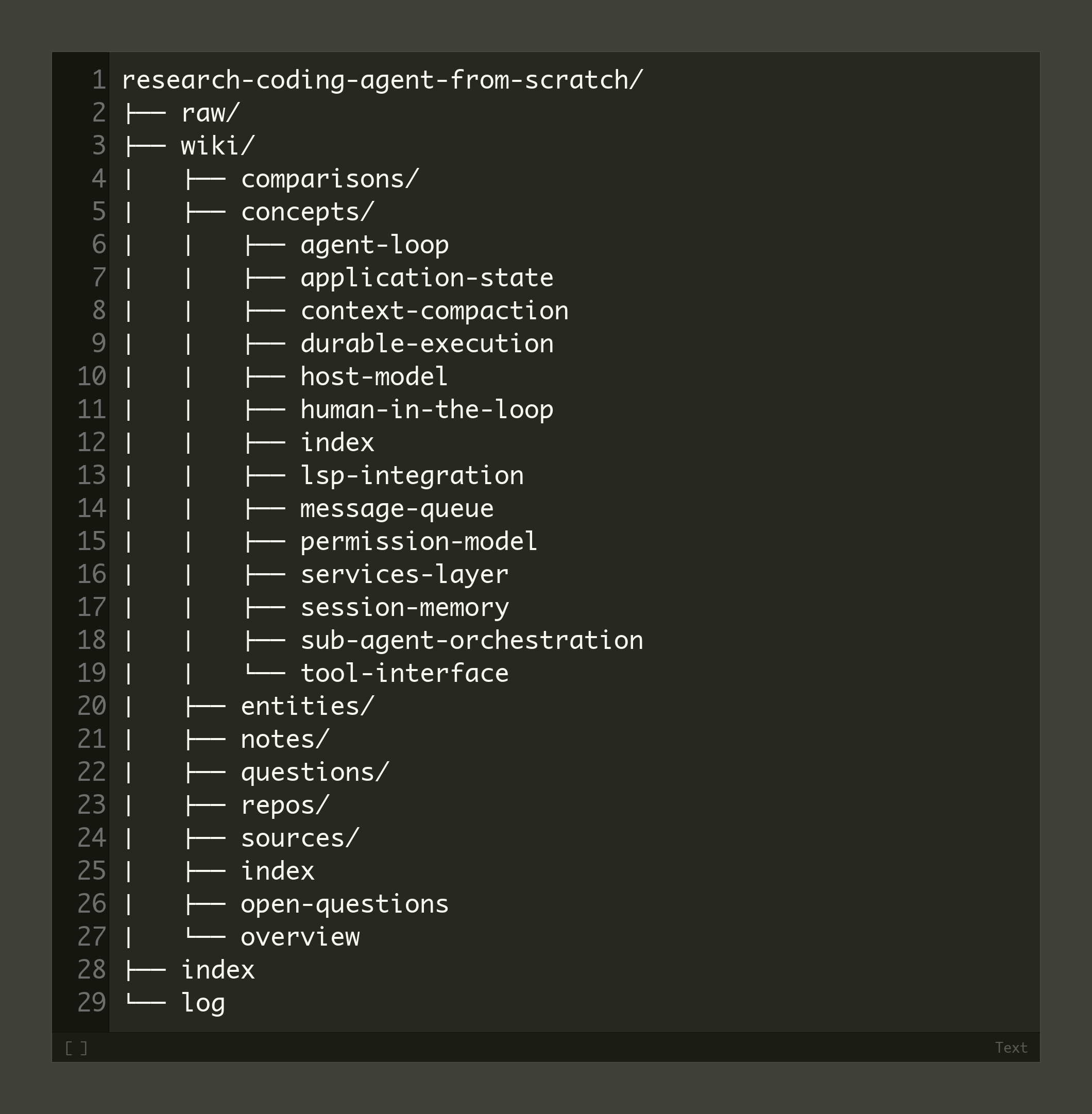
Storing each finding as an individual raw file, instead of one flat research.md, is the one change that makes everything downstream queryable and growable. Sources can include Obsidian, GitHub, Google Drive, even custom URLs (plain curl for simple sites, Bright Data for bot-walled ones).
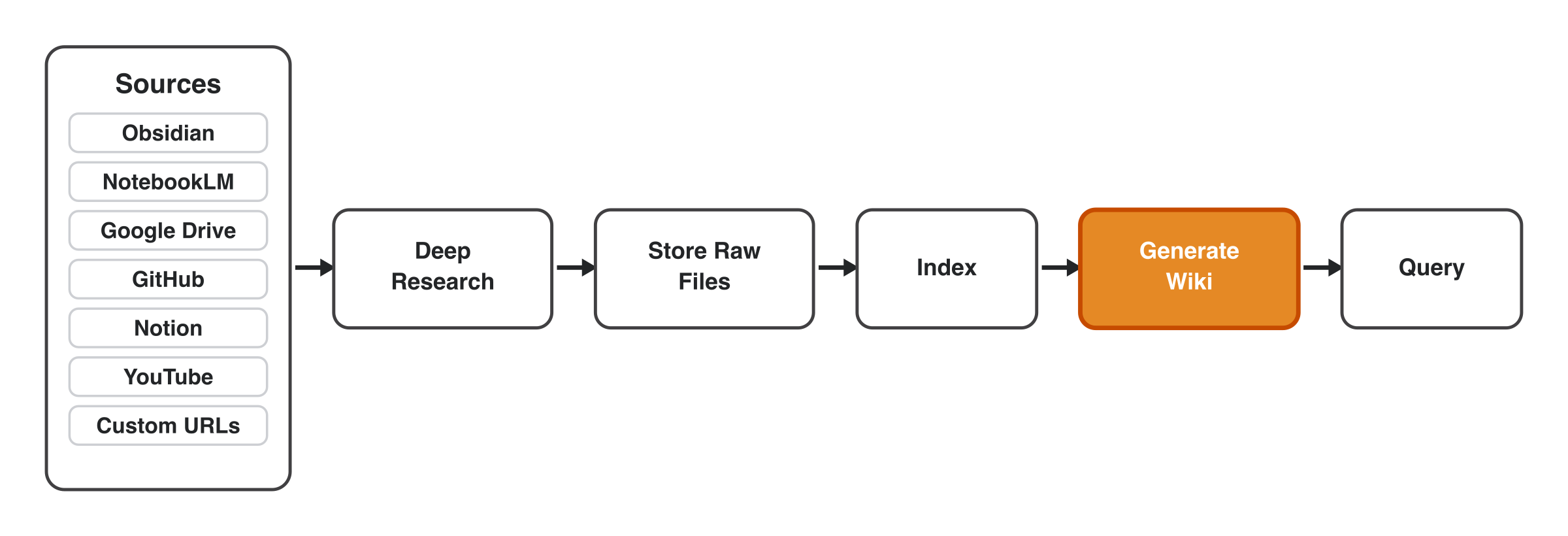
The natural fear is that “index + wiki + query” means vector databases and knowledge graphs. It doesn’t, and that’s the surprising part.
A Memory Layer Built From Plain Files and No Database
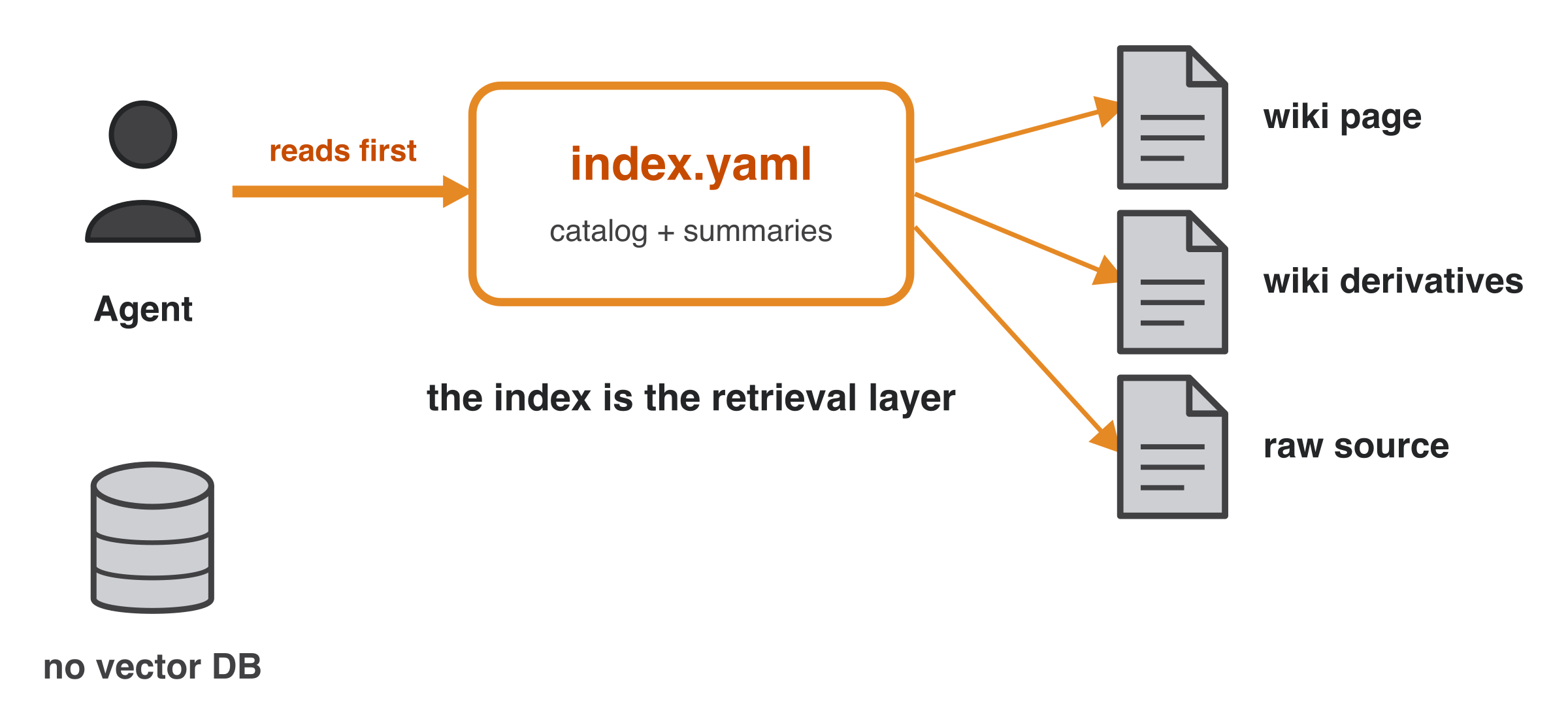
Vector databases, knowledge graphs, and semantic and text search all add real complexity, too much for a personal research OS. So drop that infrastructure and build the whole thing on files and references: no database, just a simple index rooted in how your filesystem already works.
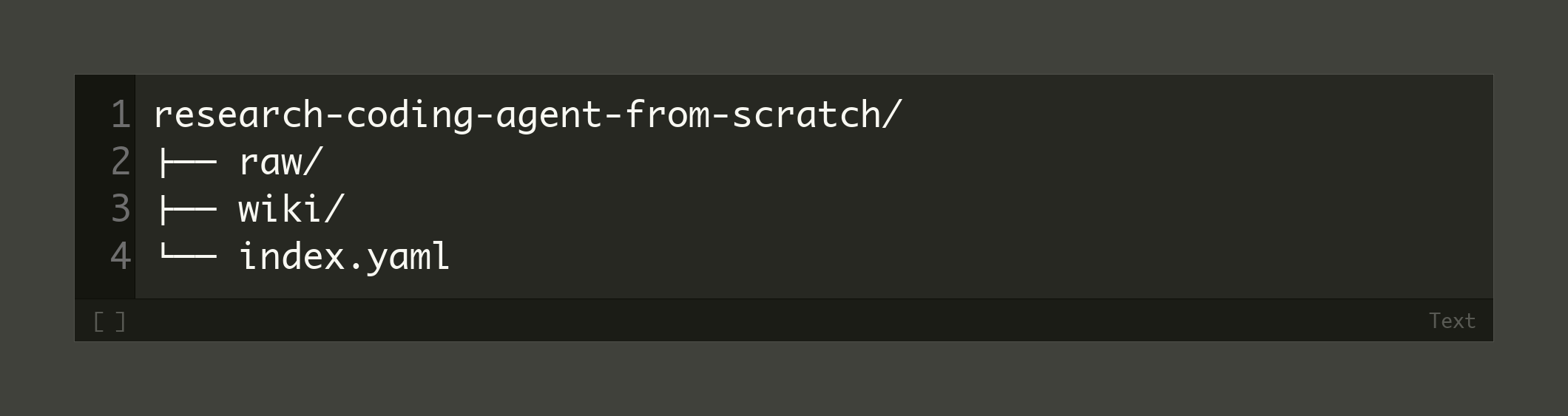
The index is the retrieval layer. An agent reads a single index.yaml first, a catalog with a summary and metadata for each source (original file, origin, title, authors, date).
There are 3 layers. A raw folder holds the immutable source data, a wiki folder holds the LLM-generated derivatives, and the index points to all of it. A real example is an index.yaml cataloging 10 sources and 38 wiki pages.
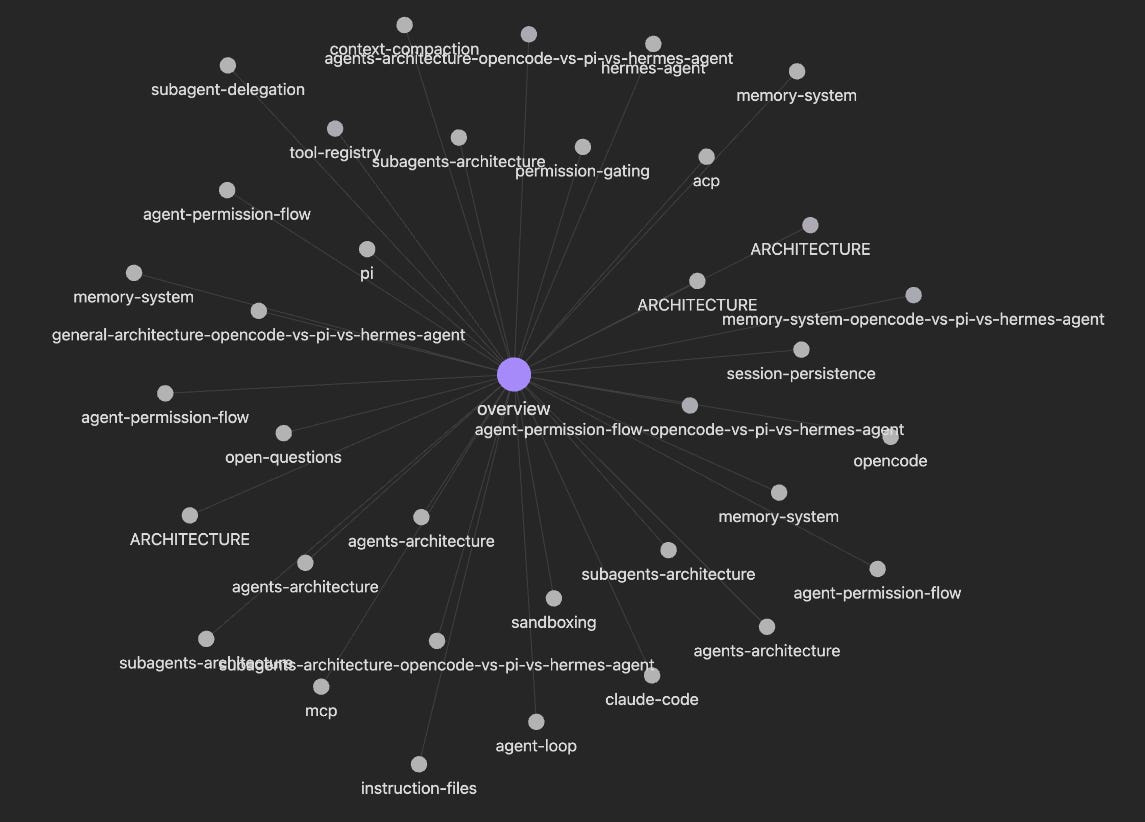
You even get a knowledge graph for free. Because everything is Obsidian-flavored markdown with references, Obsidian’s local graph renders the connections out of the box: entities like OpenCode or MCP linked to concepts like tool registry, context compaction, and sandboxing, and the sources they touch.
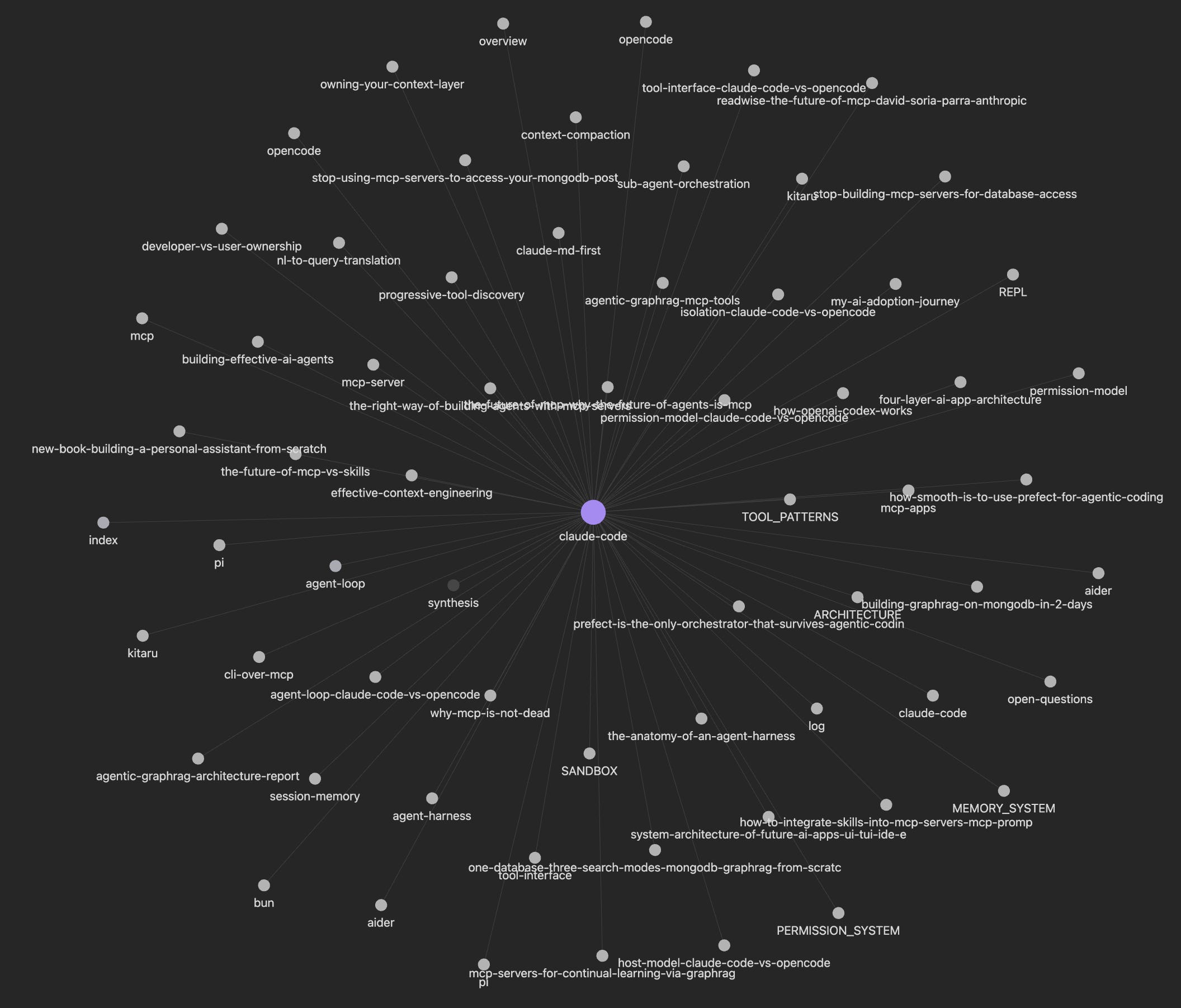
Obsidian is only a viewer, though. The whole system runs from any working directory through Codex or Claude Code, so the graph is a bonus on top.
Querying the Wiki, and Why It Never Freezes
The agent queries through progressive disclosure. It starts at the index.yaml summaries. If it needs more, it opens the source wiki page (an expanded summary), and often stops there.
If not, it follows references into the derivatives (entities, concepts, comparisons, notes). Only as a last resort does it read the raw source. Summaries are computed once, at ingestion, so the context window stays small.
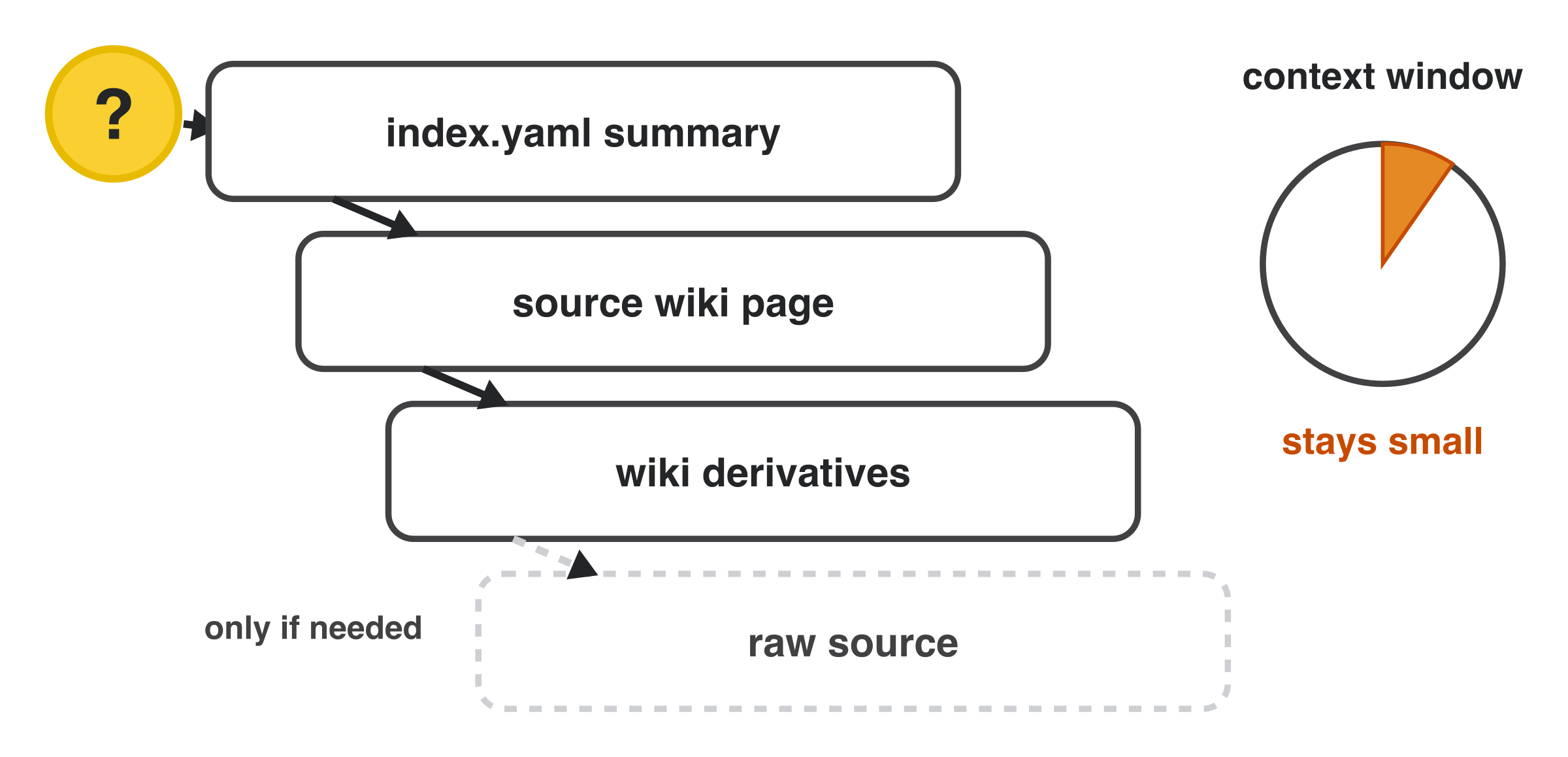
The wiki is also alive. Ask a question and the LLM can spawn a new concept, note, or comparison, and each question is written to a log. So the wiki evolves as you talk to it, not only when you ingest data.
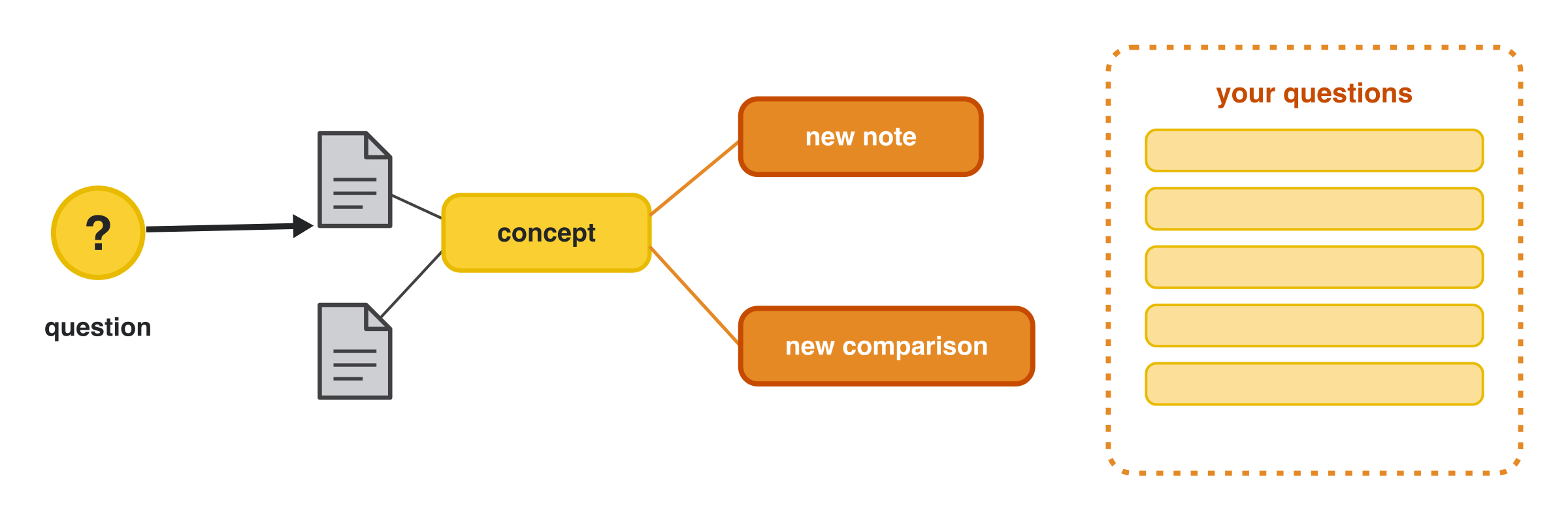
It’s never frozen, and it grows 3 ways: ingest a new custom link, run another deep-research round, or let it create derivatives purely from your questions.
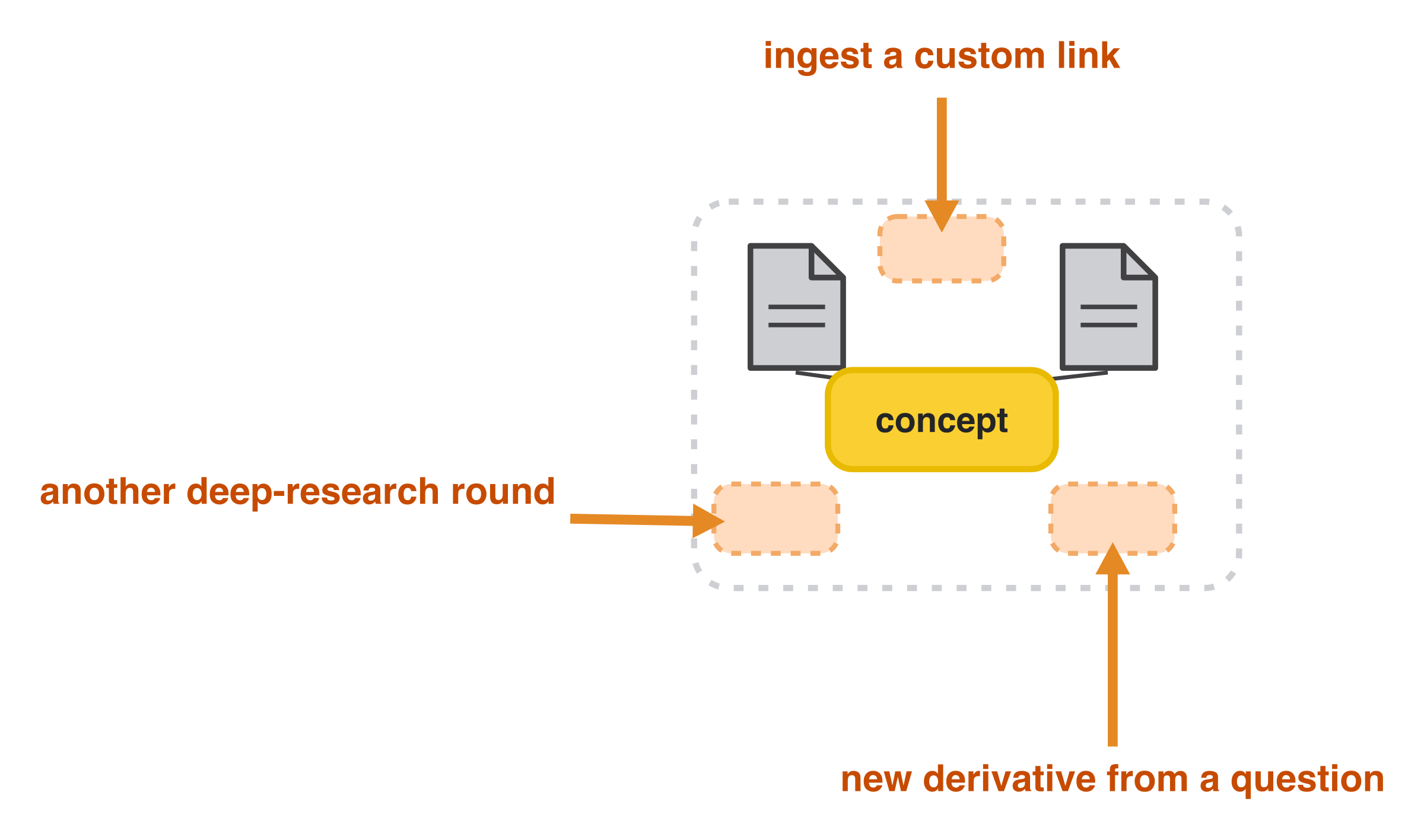
One design choice makes this safe to run against a decade of notes: the wiki never sits directly on your whole second brain.
Scope It to a Project With PARA
Your second brain stays an immutable snapshot. I organize everything with the PARA method: Projects, Areas, Resources, Archive [3]. Sources are piped into Resources as a flat list, then referenced into Projects and Areas. So Obsidian stays read-only; I don’t want the LLM editing notes I write by hand.
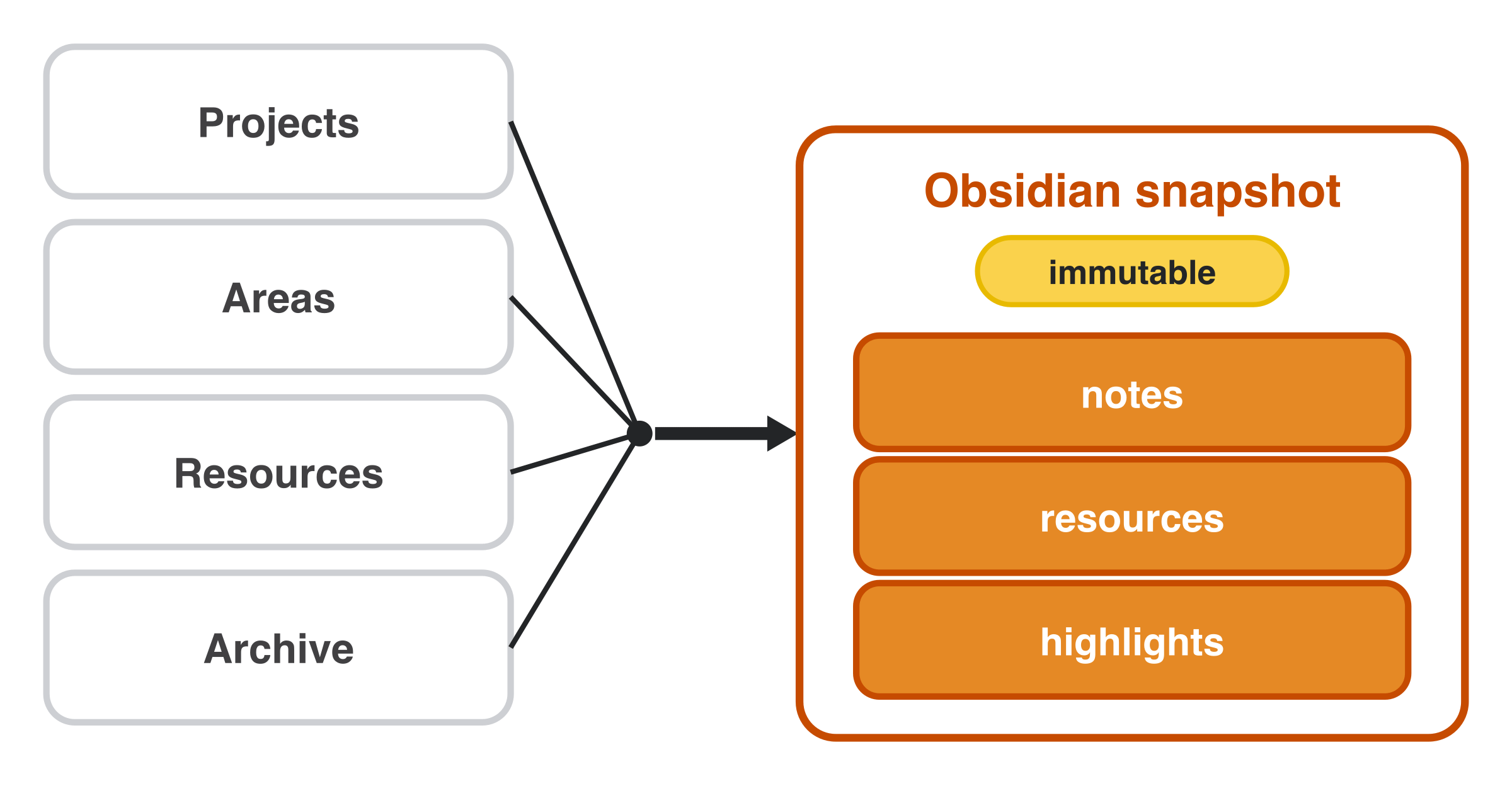
The wiki is scoped per project, not global. When you start something new, you reference that snapshot through the deep-research loop and scope it down to the project, running the loop or ingesting specific repos, articles, and notes via skills plugged into a harness.
Scoping is a scale choice as much as a safety one: plain files stay fast and inspectable at project size, but a whole-vault wiki of thousands of documents is exactly where a vector or graph database finally earns its place.
That’s the ~100-note wiki from the top, kept small by scoping to one project, yet reaching my entire 10,000+ note second brain through the loop.
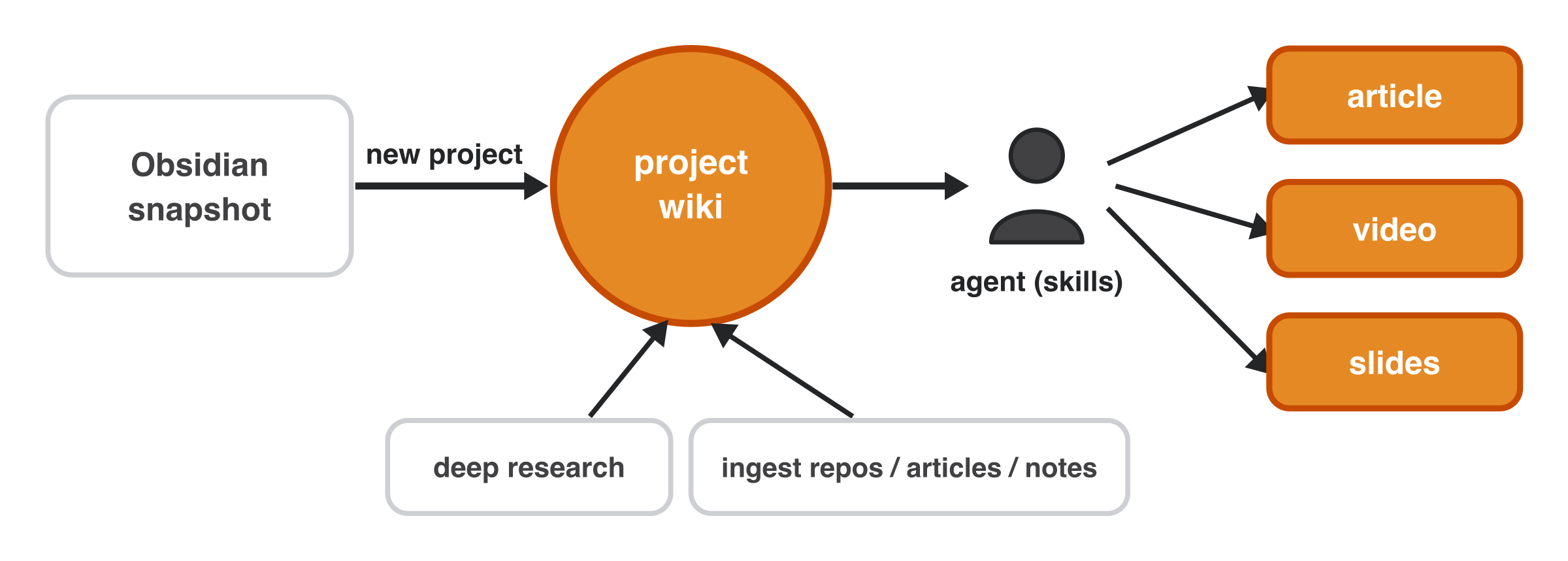
The mental model is that the project is the work and the second brain is the research. A project is anything where you turn research into work: an article, a video, a set of slides (this talk was built this way), or a whole codebase. That’s the whole architecture, and the fastest way to see why it matters is to watch it run.
See It Run: Three Demos
Everything ships as one open-source Claude Code plugin you can clone and run on your own notes (https://github.com/iusztinpaul/ai-research-os-workshop), tweakable for any harness.
It’s four skills: /research (build or query the wiki), /research-distill (a per-piece research.md), /research-lint (health-checks), and /research-render (slides or a brief).
Demo 1 is research from a brain dump around “agentic harnesses”. You point the research skill at a file of notes plus a few must-include references. It scrapes those for seed context and picks a depth: fast (1 round of 3 queries), light (2 rounds, 3 then 2), or deep (3 rounds of 3). Out come the raw files + the LLM wiki:
Demo 2 is ingesting and comparing GitHub repos. You give it 3 harness repos (OpenCode, Pi, Hermes), no deep research, scoped to architecture, sub-agents, memory, and the permission flow. It clones each, writes per-repo notes, then builds cross-repo comparisons.
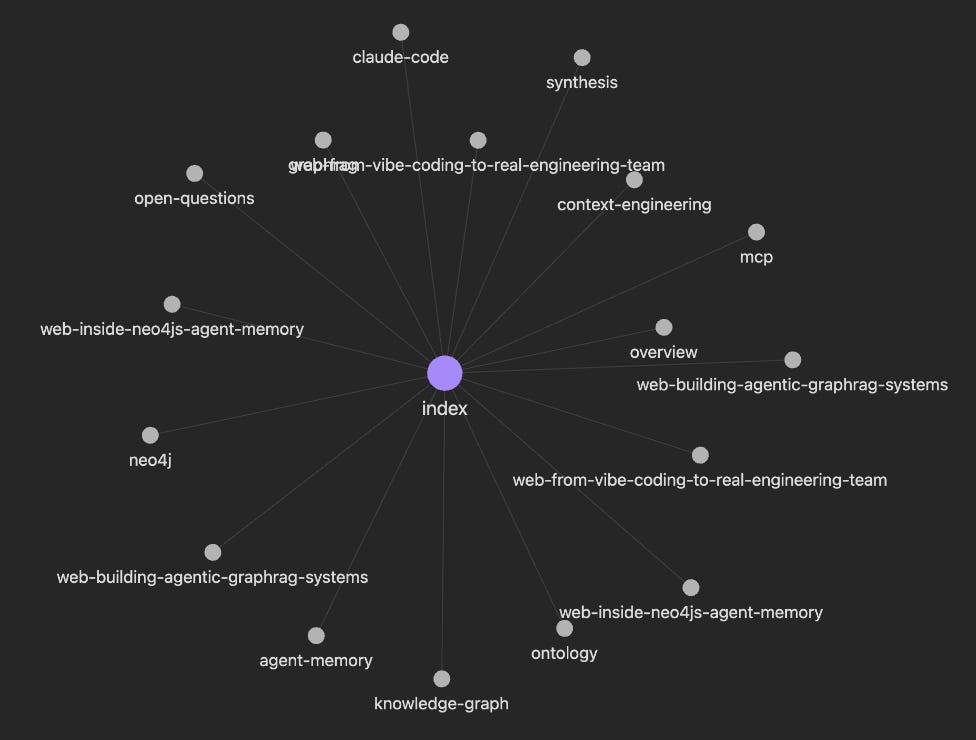
Demo 3 is ad-hoc links on GraphRAG, then questions to create notes. You hand it 3 arbitrary links to build a wiki, then ask how agentic GraphRAG differs from a plain knowledge graph. It answers off the wiki and updates it in place.
It was super hard to show the full demos here. You can find the full examples within the Examples section of the repo or watch me go over them in Obsidian and Zed in the full video.
Where This Is Going
Some connectors are missing on purpose (Google Drive, Notion, Slack) — the point is for you to add what you need. Louis-François added YouTube transcript ingestion in seconds with one prompt to Codex.
Two weaknesses stand out. The byproducts are often poorly written, fixable with the article writing profiles I already use. And as data grows, the LLM makes subtle errors: concept confusion (comparing Claude Code and OpenCode, it merged how each handles tool calls into one explanation) and superficiality (the Claude Code queuing system took many follow-ups to get right).
The fix is constant linting, which is what /research-lint does: it sweeps the wiki for orphan sources, broken links, stale claims, and contradictions.
What’s Next
Everything you saw here is open source. Clone the repo (or install it as a Claude Code plugin) and run it on your own notes today: https://github.com/iusztinpaul/ai-research-os-workshop
If you’d rather see the whole system in action first, watch the full talk Louis-François Bouchard and I gave at the AI Engineer World’s Fair:
And if you want to go beyond a workshop repo, such as building a deep-research-plus-writing multi-agent system from scratch and shipping it to production with AI evals and an observability layer on top, that’s exactly what we teach in our Agent Engineering: Building Multi-Agent Systems course.
Enjoyed the article? The most sincere compliment is to restack this for your readers.
Whenever you’re ready, here is how I can help you
Go from agent user to agent builder. Master the foundations of AI agents and turn fragile demo code into reliable, production-ready systems with my course, Agent Engineering: Building Multi-Agent Systems (made with Towards AI).
35 lessons. Pure foundations from scratch. 4 mini-projects. 2 production systems. A certificate and direct access to me & industry experts in our Discord.
Built for software and data professionals transitioning into AI engineering. Rated 5/5 with 300+ students. The first 7 lessons are free:
Not ready to commit? Start with our free Agent AI Engineering Guide, a 6-day email course on the mistakes that silently break AI agents in production.
Explore Next
Karpathy, A. (n.d.). LLM Wiki: A pattern for building personal knowledge bases using LLMs. GitHub. https://gist.github.com/karpathy/442a6bf555914893e9891c11519de94f
Google Cloud. (n.d.). How the Open Knowledge Format can improve data sharing. Google Cloud Blog. https://cloud.google.com/blog/products/data-analytics/how-the-open-knowledge-format-can-improve-data-sharing
Forte, T. (n.d.). The PARA Method: The Simple System for Organizing Your Digital Life. Forte Labs. https://fortelabs.com/blog/para/
Images
If not otherwise stated, all images are created by the author.
Very interesting. I teach AI to business users in Cowork mostly. They build a Work OS with one workspace per domain (sales, mktg, ops, etc) and run their day-to-day workflows from there. Workspace => your project
I’d love to bring a second brain to my students that understands theim, their business, and daily work, but it has to be self-managed and easy to use.
I understand you’re developer focused. What’s your take on bringing this second brain to a Cowork business use case? Realistic to expect a plug-and-play with a bit of help at setup? The LLM Wiki approach offers a single mechanism to query context on-demand and it scales. I love that part!
10,994 notes and most of them dead weight until an agent could actually query them is the real argument here. I keep my own vault lean for the same reason: a note nobody acts on is just archived data, whether it's a markdown file or a finished thing sitting in the shop waiting for someone to notice it. The wiki-as-agent-memory layer is the first setup I've seen that makes the vault do something instead of just holding things.